

WGFX Update for 11th Edition!
New features
11th Edition maps — select your edition, choose army dispositions, then pick Variant A, B, or C
Toggle 3D terrain buildings on 11th Edition maps — just hold the Terrain Layout toggle for half a second
Overview
The full set of 45 official 11th Edition terrain layouts is now in the app — every deployment, disposition, and mission layout for the new edition. Select the layout, point your phone at the Image Target, and have the terrain laid out in AR without measuring anything by hand.
A couple of other things came along with this update.
You can now toggle the 3D terrain on and off per layout. With it on, you get the full 3D terrain preview sitting on the table, with it off, you just get the building footprints, which a lot of people find quicker to align to. Also, the objective markers also have a little glow on them now. It's a small thing, but I thought it was cool.
Checking the official layouts
The part I spent the most time on was verifying the layouts before they went in.
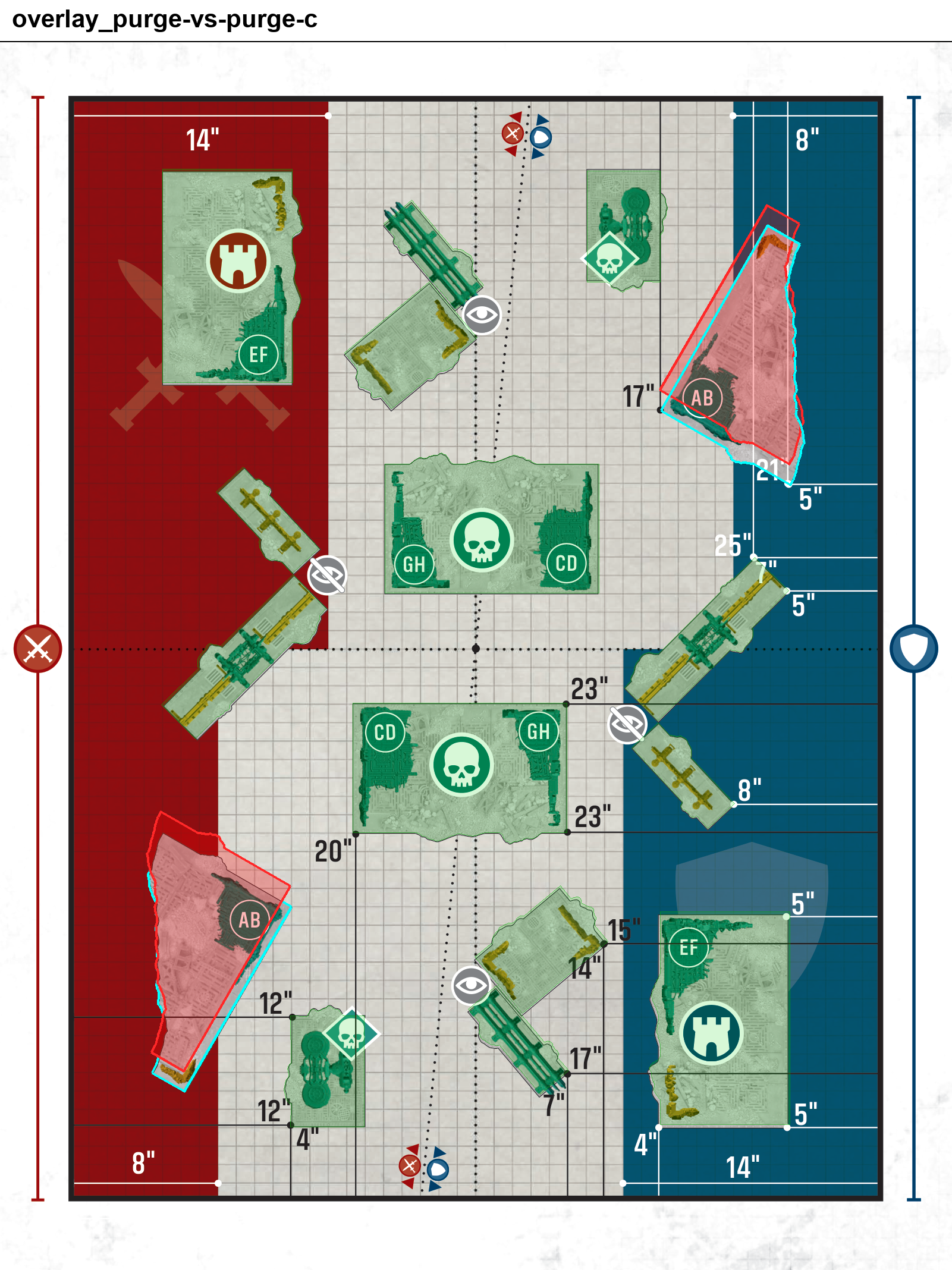
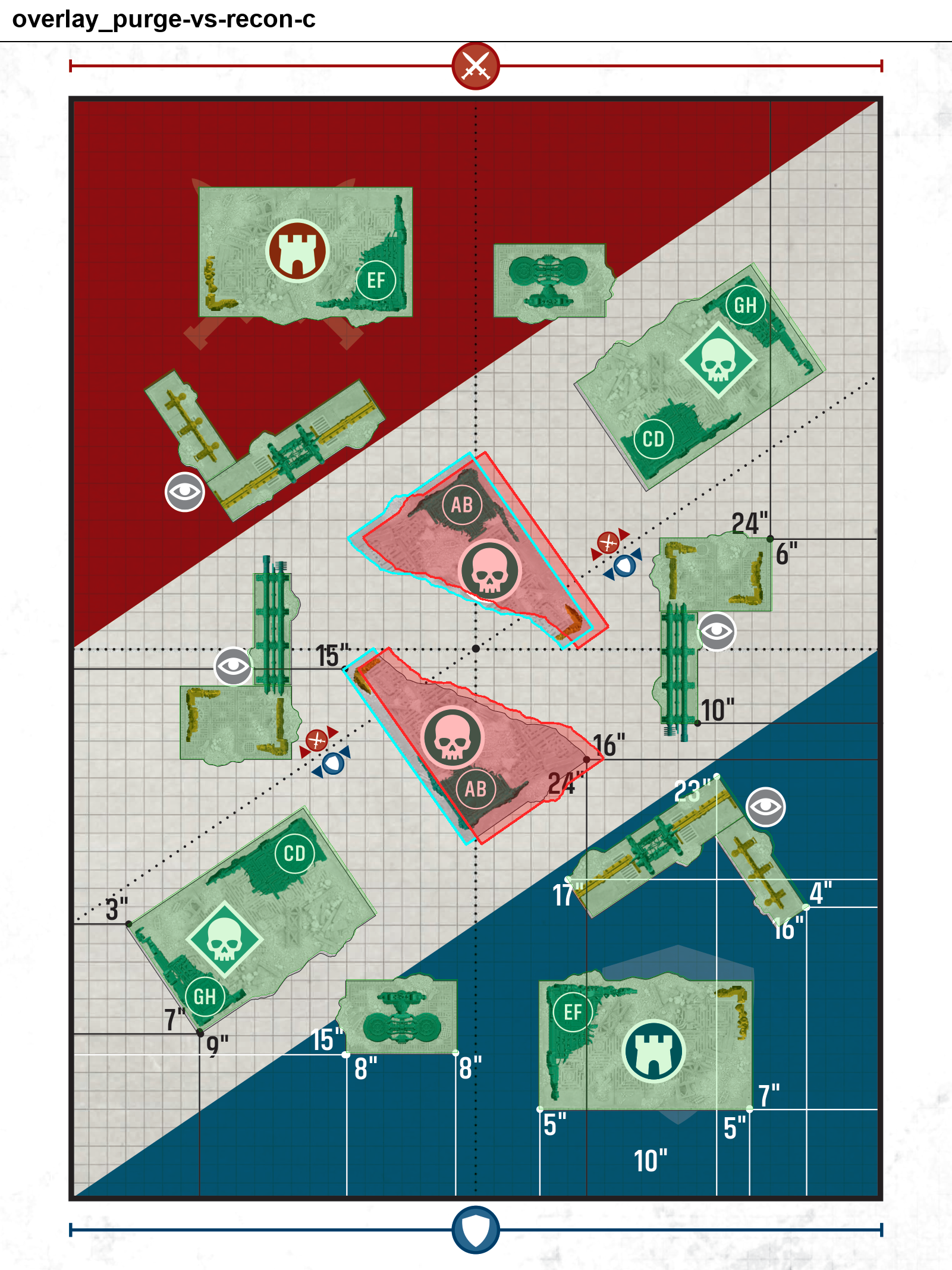
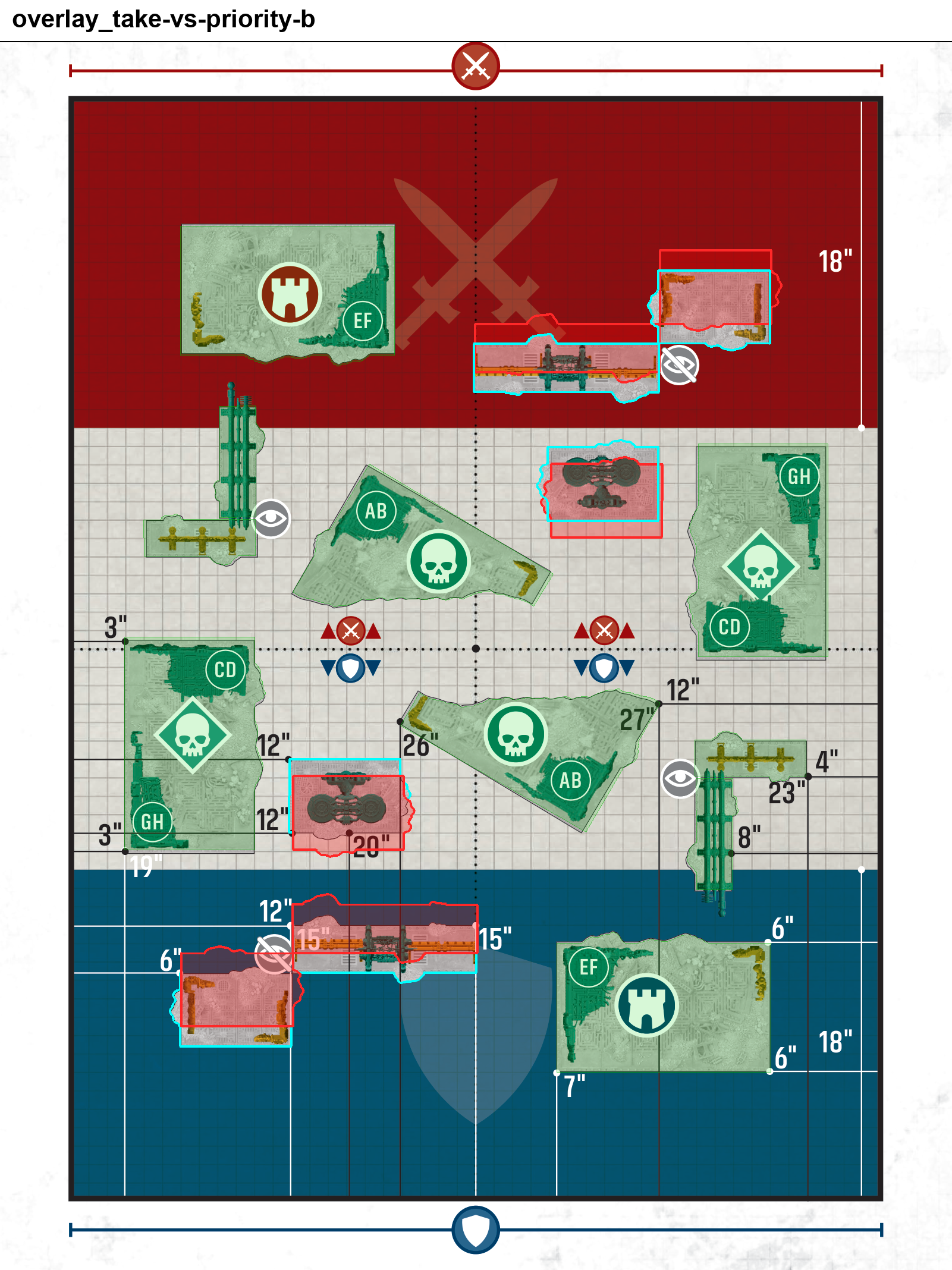
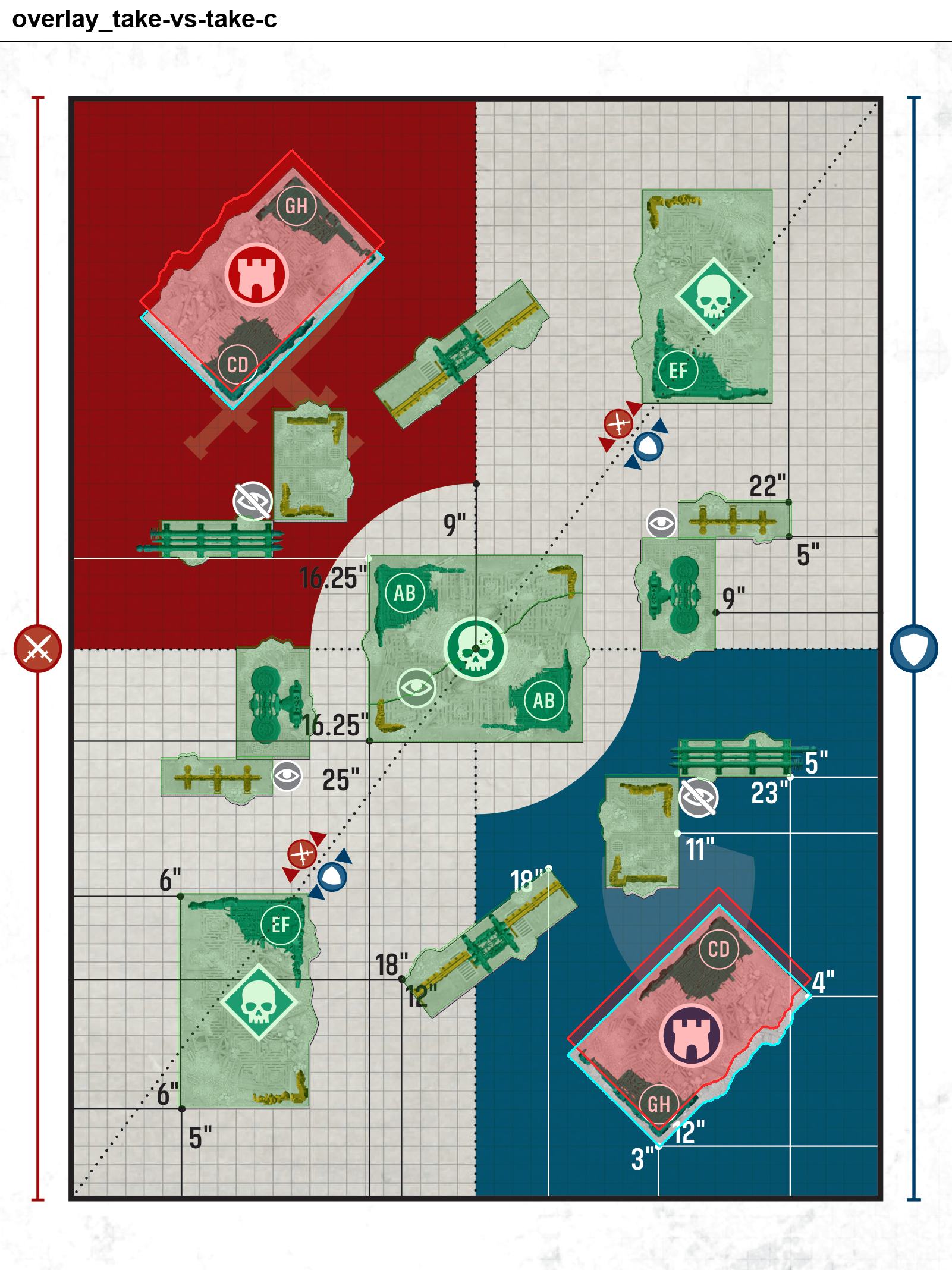
Rather than taking the official published diagrams at face value, I went through each one and checked the stated measurements against each other and against where the terrain footprints actually sit. A handful of the official diagrams have actual inconsistencies — measurements that don't quite reconcile, or footprints that drift from where the listed dimensions put them. They're usually small, but in a game decided by inches a 1" discrepancy is worth catching before it turns into a disagreement mid game.
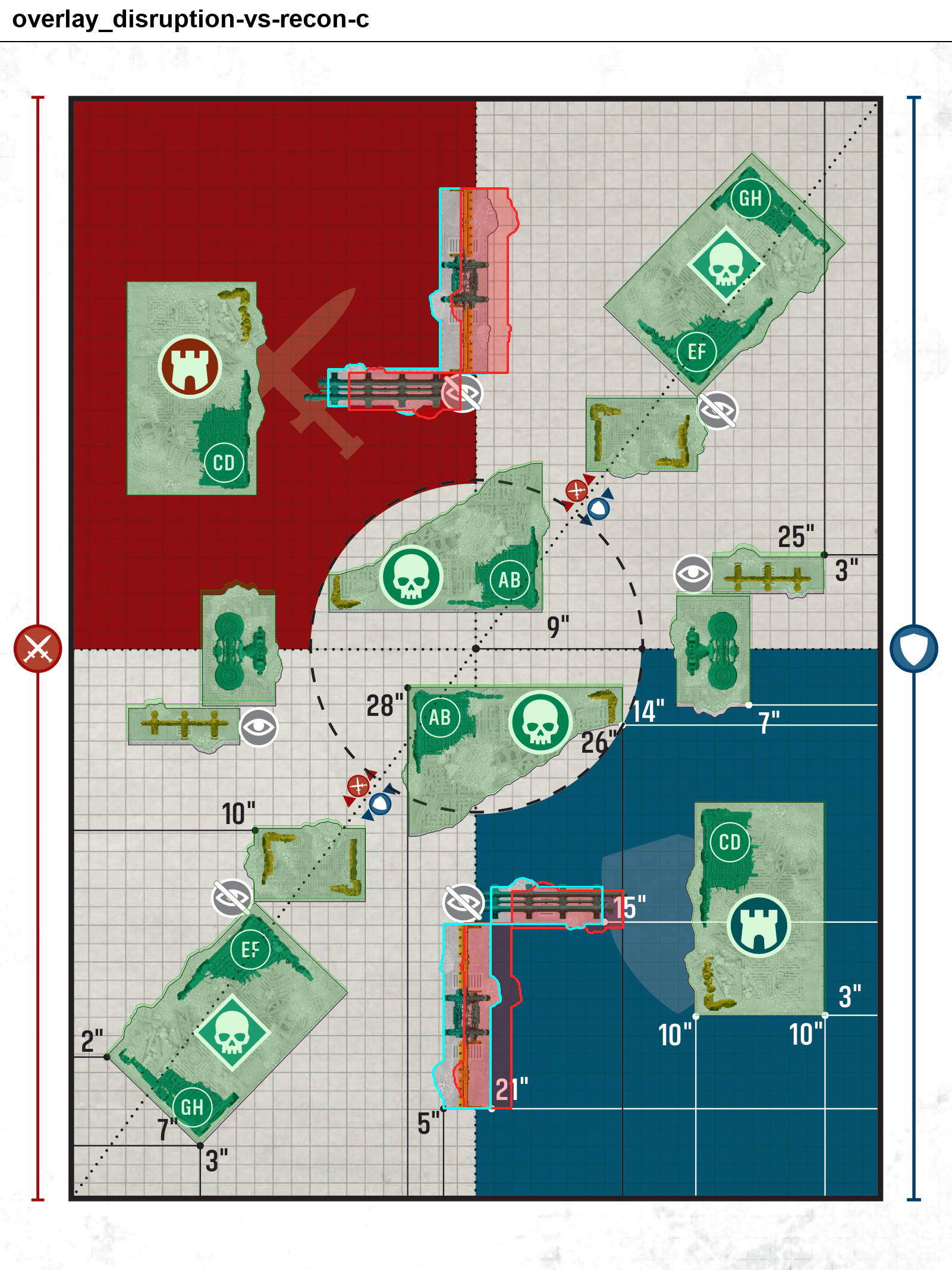
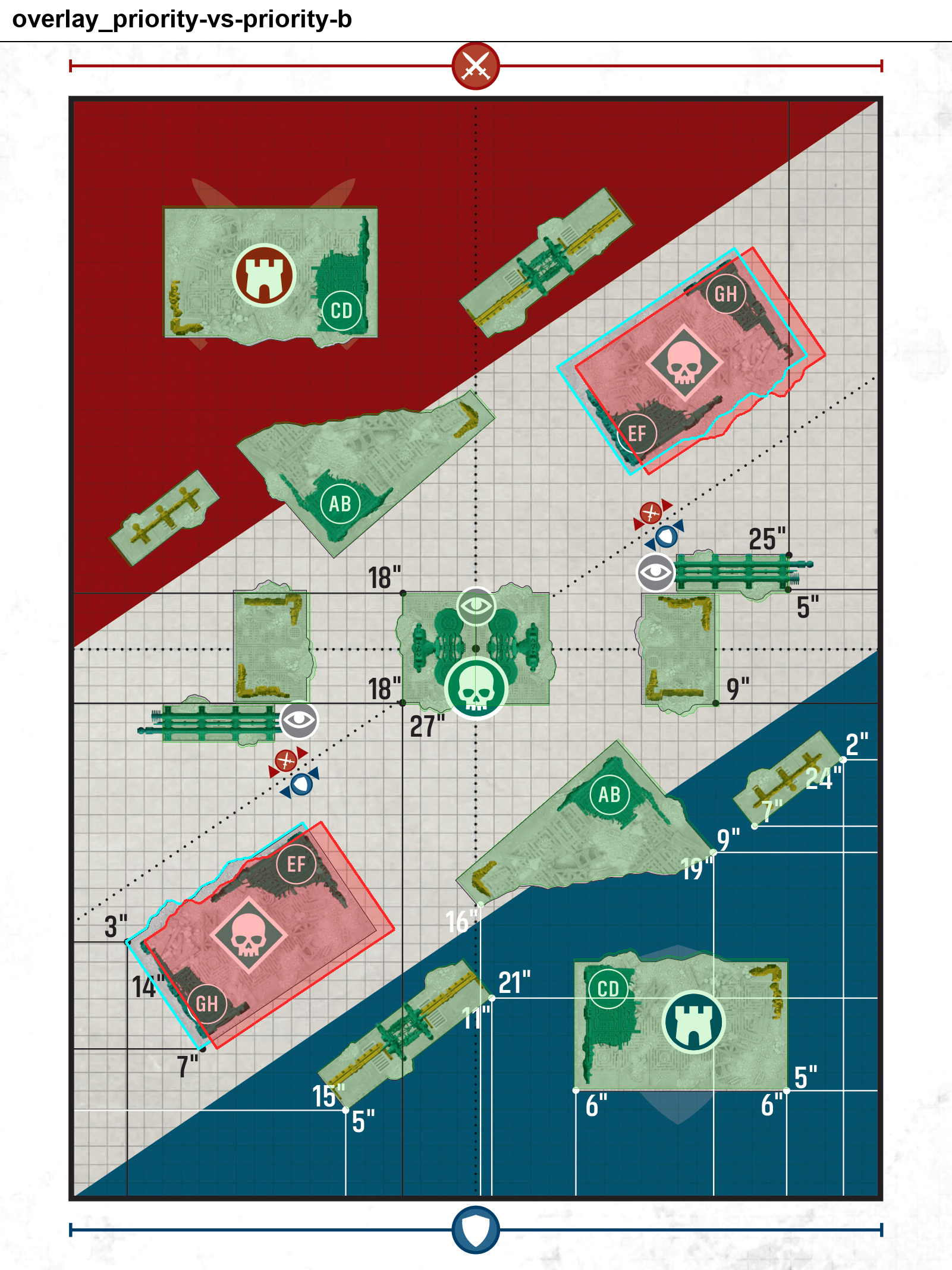
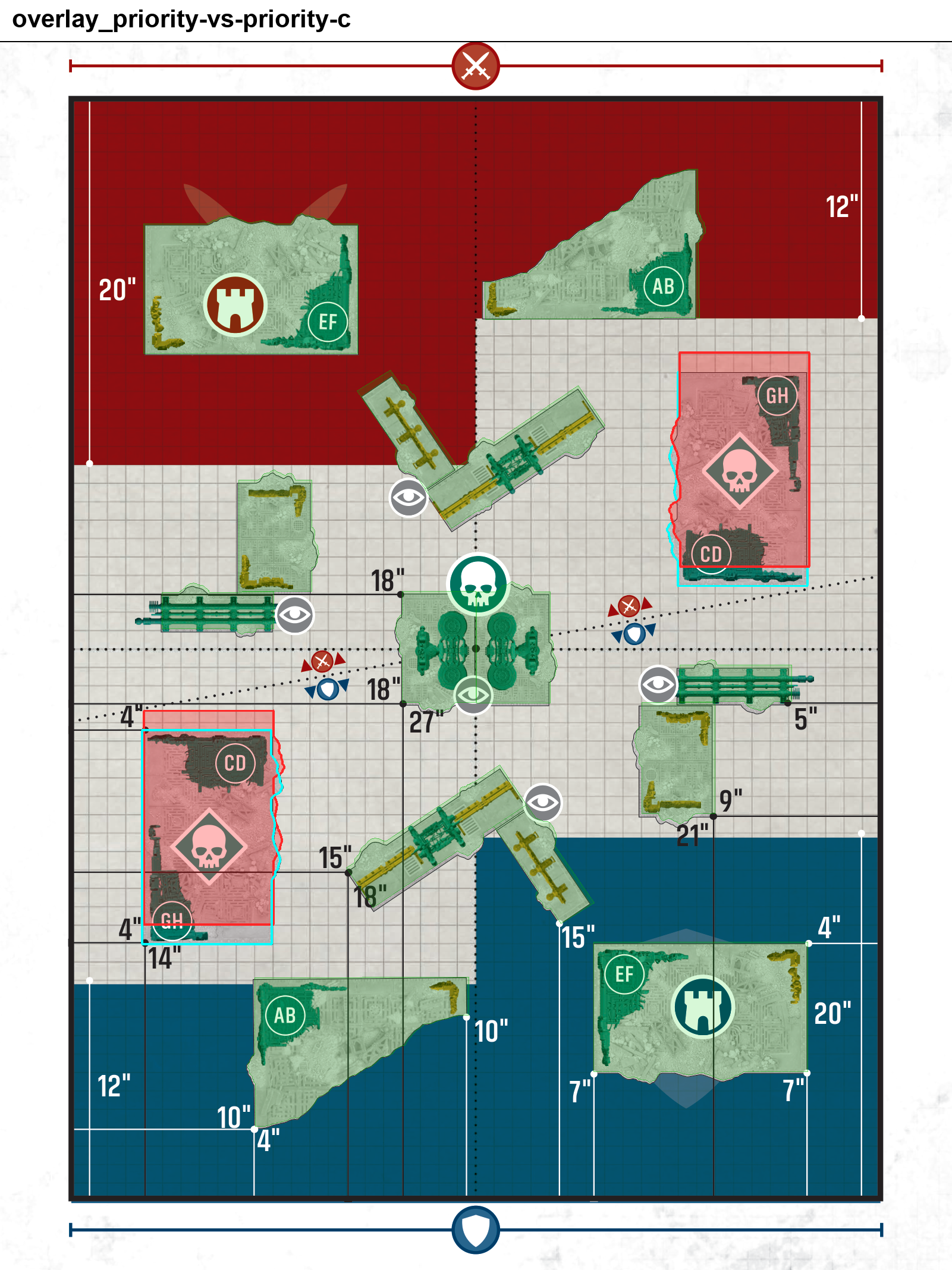
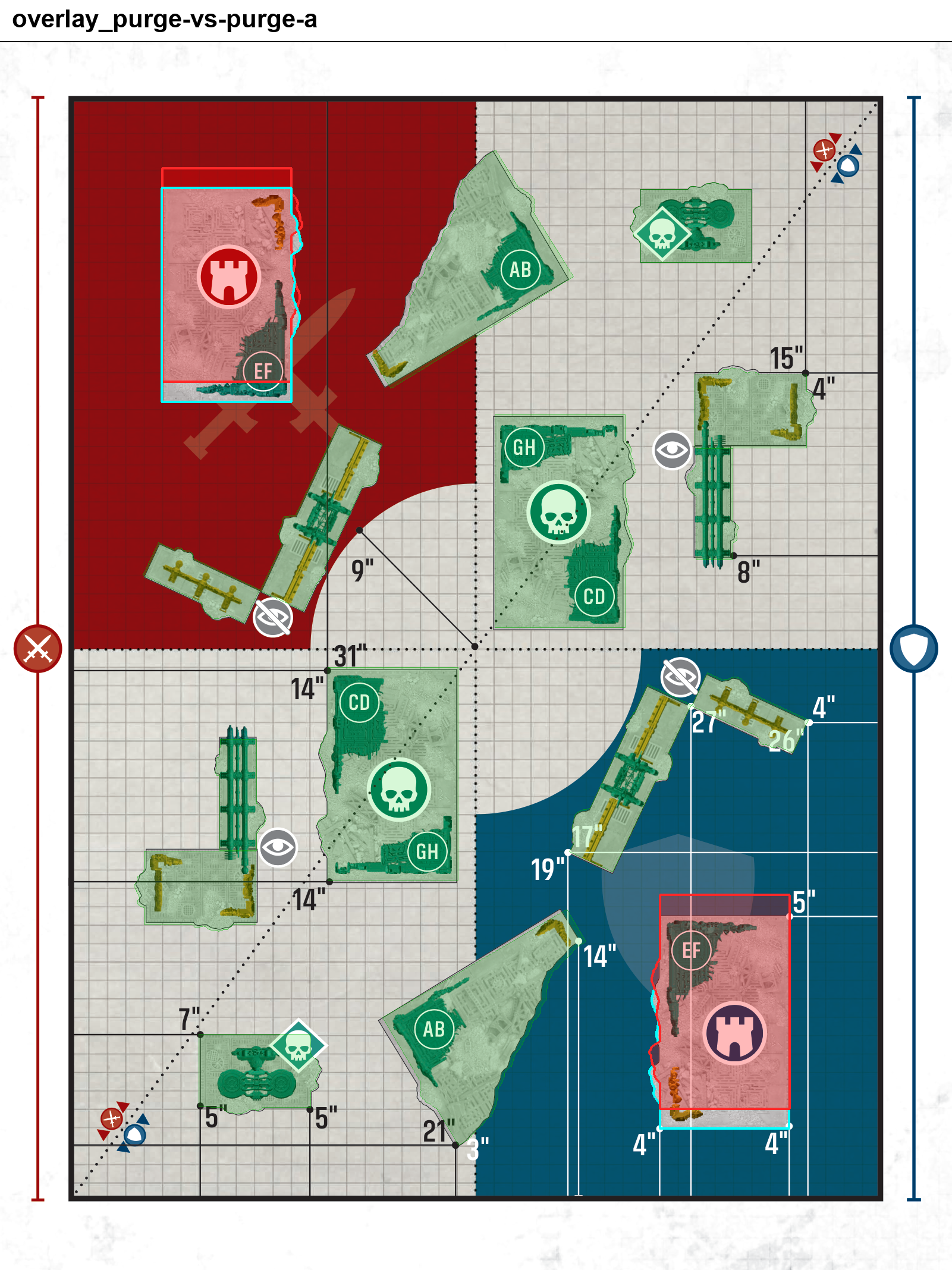
The way I did this was with a Python script paired with a vision model. The script renders the official diagram and the app's layout to the same scale and origin, then stacks them as an overlay with each source in its own outline color. The vision model passes over each overlay and flags the spots where edges, footprints, or stated measurements don't line up. From there I review the flags by hand and decide on the correct placement.
The overlay images below are the direct output of that process. One source is red, the other cyan, and the gaps between the two outlines are the discrepancies the check turned up.
About WargamesFX
WargamesFX helps tabletop players set up games faster and more accurately using augmented reality overlays. Whether you’re running Warhammer 40K, historical miniatures, or custom scenarios (coming soon!), the app ensures every piece of terrain lands exactly where it should.
Download the WargamesFX App:
iOS: https://apps.apple.com/us/app/wargamesfx/id6499065393
Android: https://play.google.com/store/apps/details?id=com.wargamesfx.ardeploy